
How to enter a competition on luckladder
This guide walks through entering a competition on luckladder — from browsing live draws to paying at checkout and getting your confirmation.
Contents
Summary
- Sign in and have a card or digital wallet ready.
- Browse, search, or filter to find a prize you want.
- Add tickets to your basket and review before checkout.
- Pay securely; luckladder emails your entry confirmation.
Before you start
- Sign in to luckladder (you need an account to check out and track your entries).
- Have a card or Google Pay, Apple Pay, etc ready. Checkout is handled securely by our payment partner.
1. Browse live competitions
Start on the homepage. You will see the marketplace headline, a search bar, categories, and spotlight draws.

2. Find a competition to enter
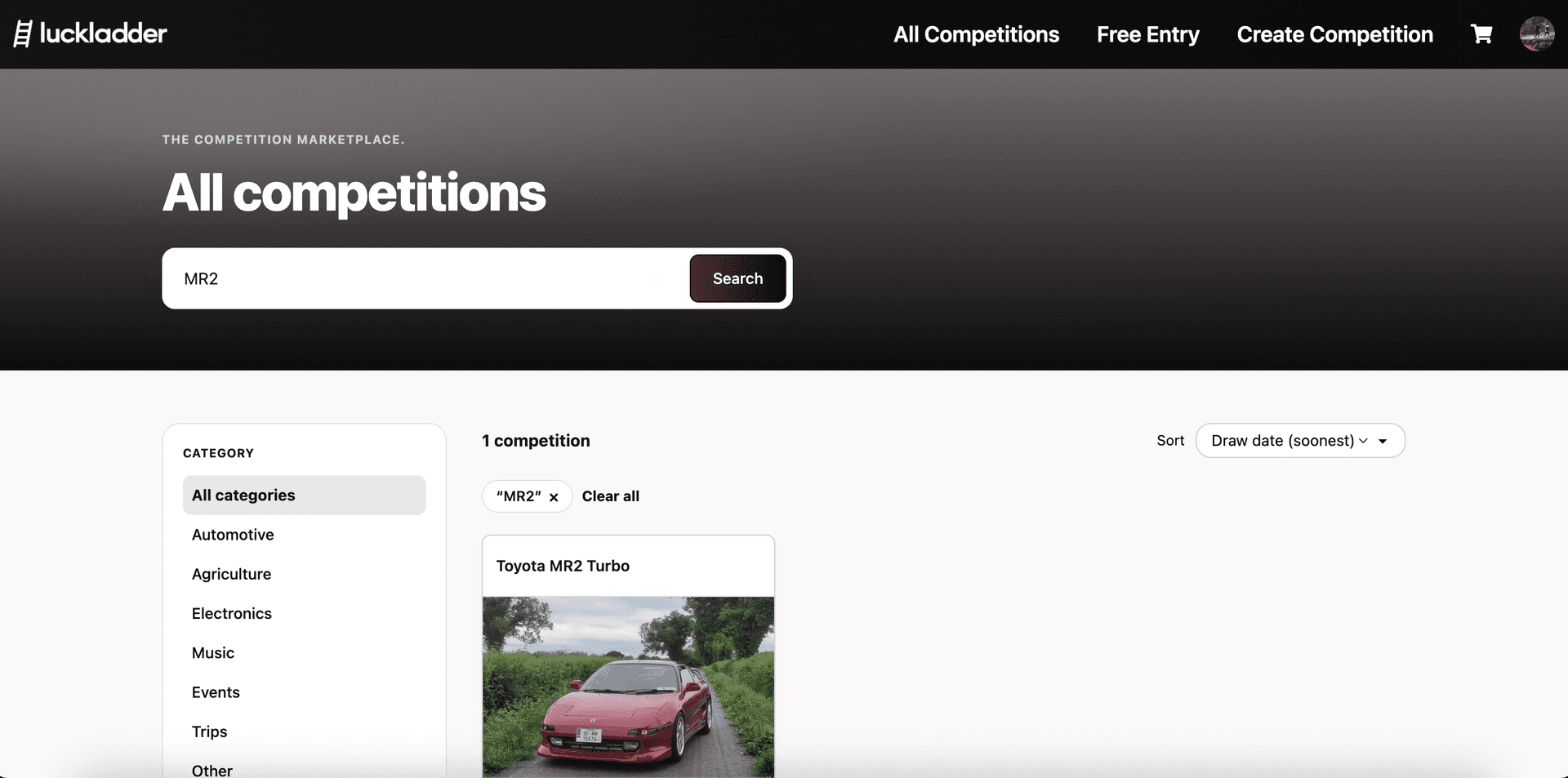
Click All Competitions in the top nav to open the full listings page. From here you can add filters such as category, draw date, and more. You can also sort by draw date to see what closes soonest.

You can also search with the search bar. In our example we search for "MR2" and land on this Toyota MR2 Turbo raffle that we want to enter.
3. Open the competition page
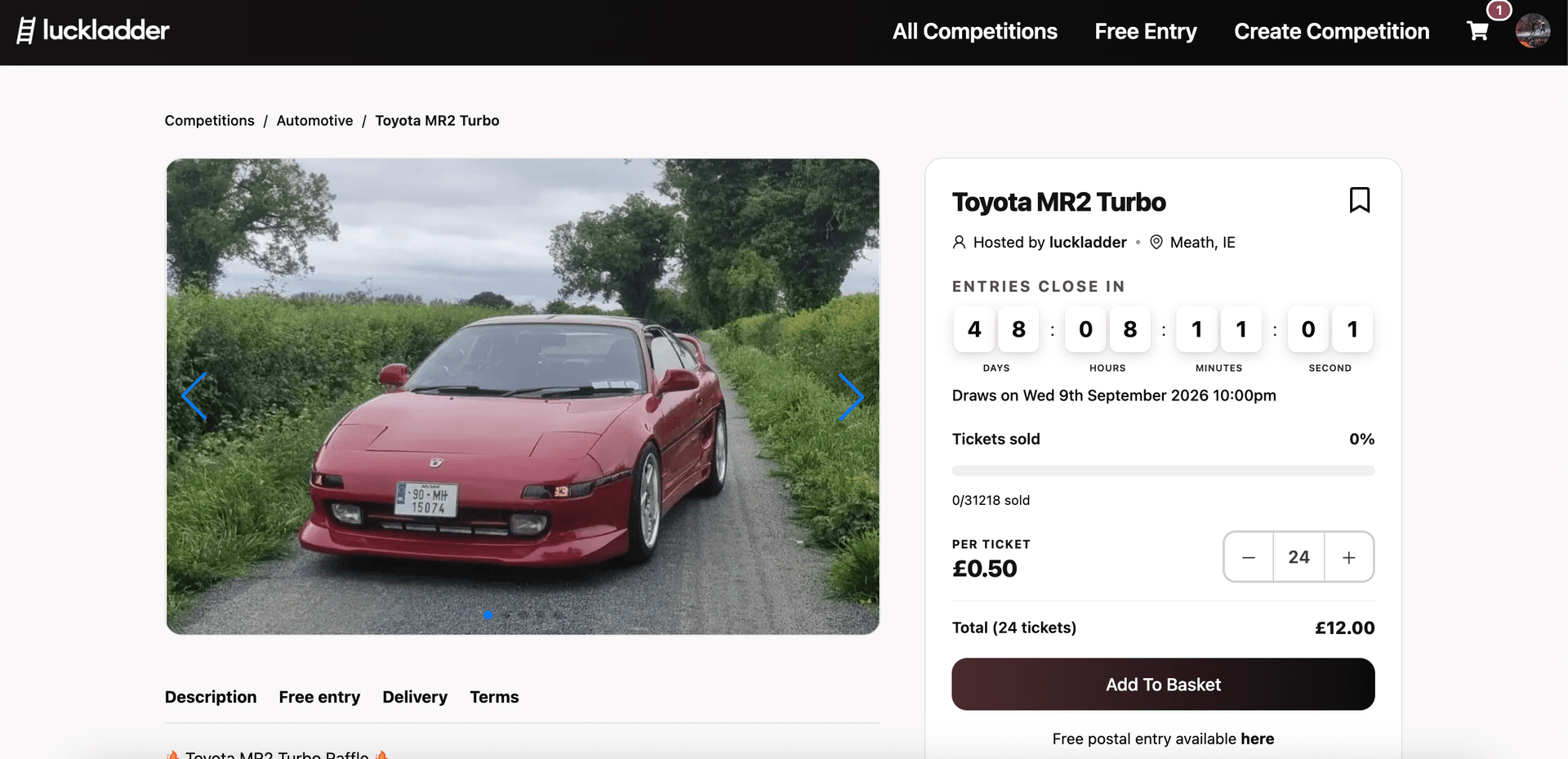
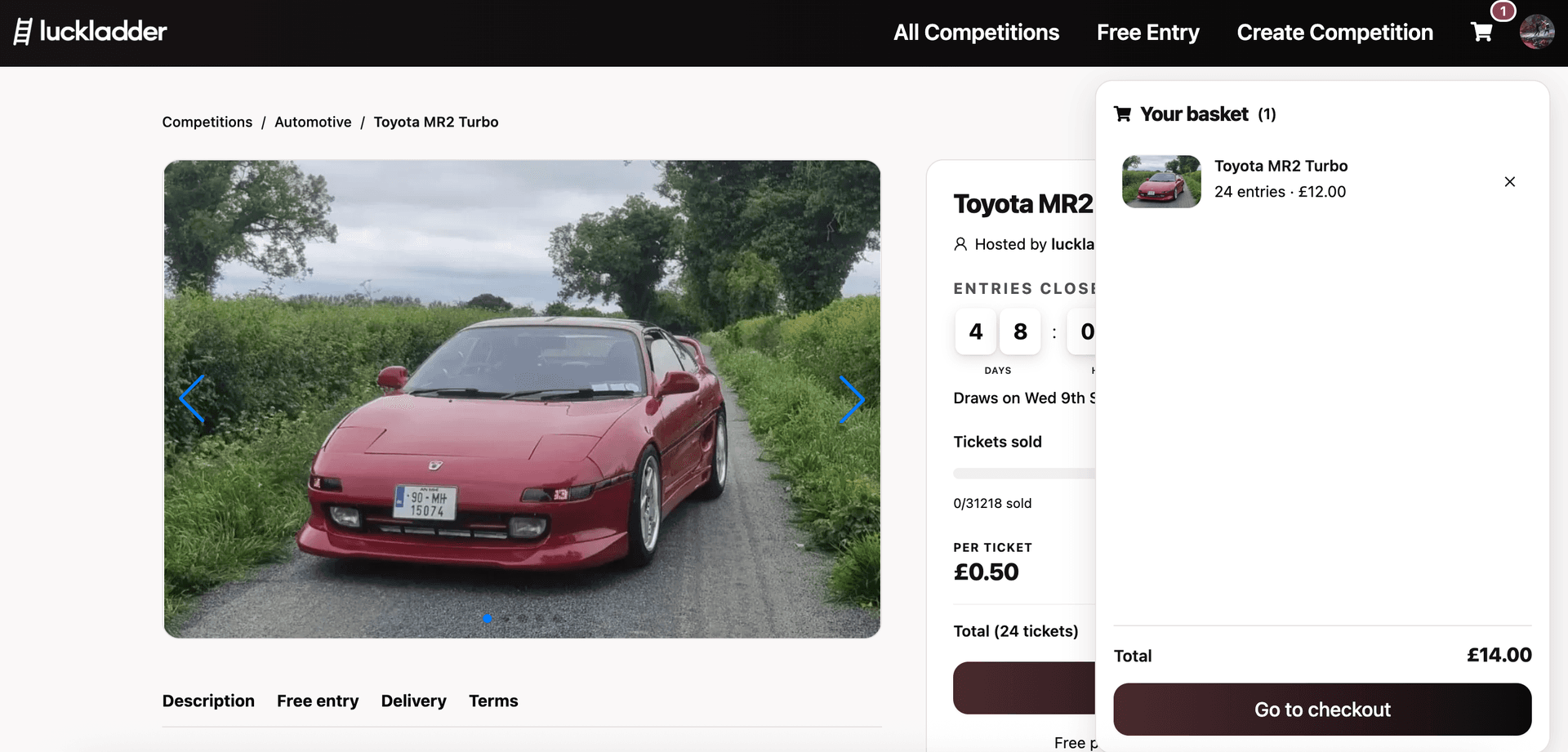
Click the competition to open the listing. On the left you get the prize gallery and tabs for Description, Free entry, Delivery, and Terms. On the right you get everything that matters before you spend: countdown, draw date, tickets sold, price per ticket, and adding to basket.
You can pick how many entries you want by typing into the quantity field or by using the +/- buttons. The total price for the tickets is updated as you go. In our example we buy 24 tickets for £12.00 before fees.
4. Add to basket
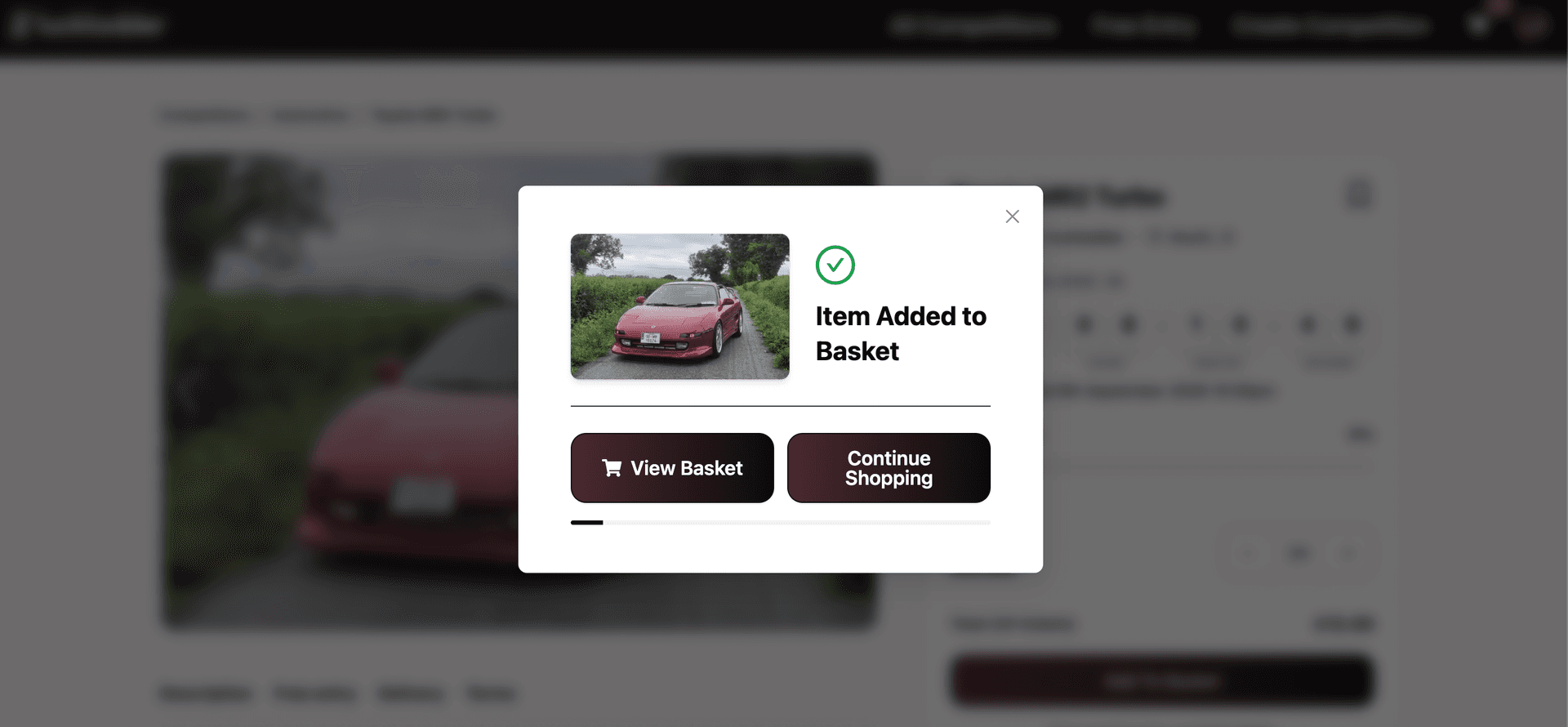
When you are happy with the quantity, hit Add To Basket. A confirmation appears so you can keep browsing more draws or go straight to your basket.
Prefer not to pay? Paid competitions also offer free postal entry. Use the Free entry tab or the "Free postal entry available here" link on the page.
5. Review your basket
Open the basket icon in the top right, or click View Basket from the confirmation. Your basket shows each competition, how many entries you bought, and the line total. You can remove an item or keep shopping before you pay.
6. Go to checkout
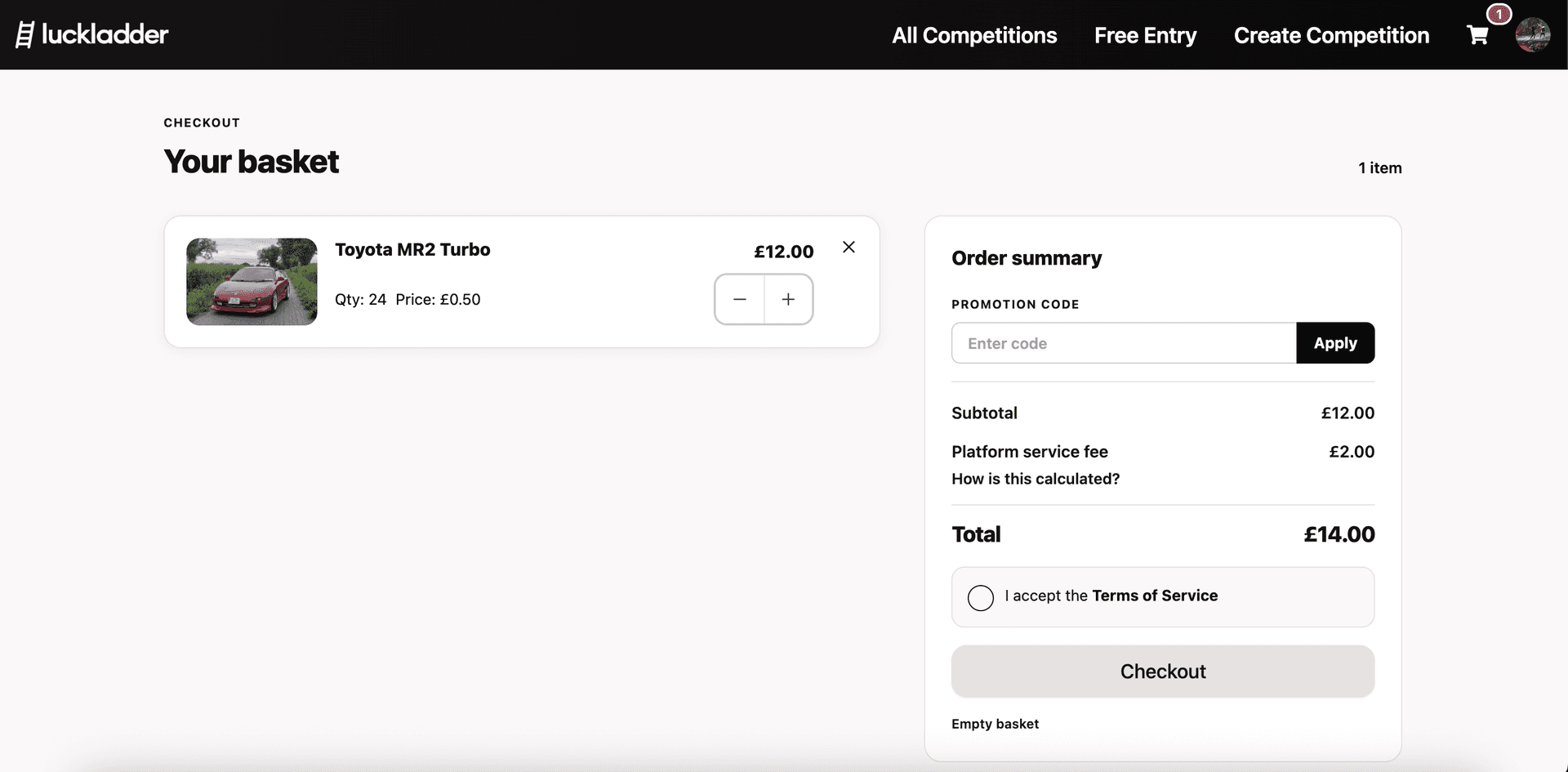
On the checkout page you can adjust quantities, apply a promo code if you have one, and review the order summary. You will see the ticket subtotal, the platform service fee, and the total. Tick I accept the Terms of Service, then hit Checkout.
7. Pay securely
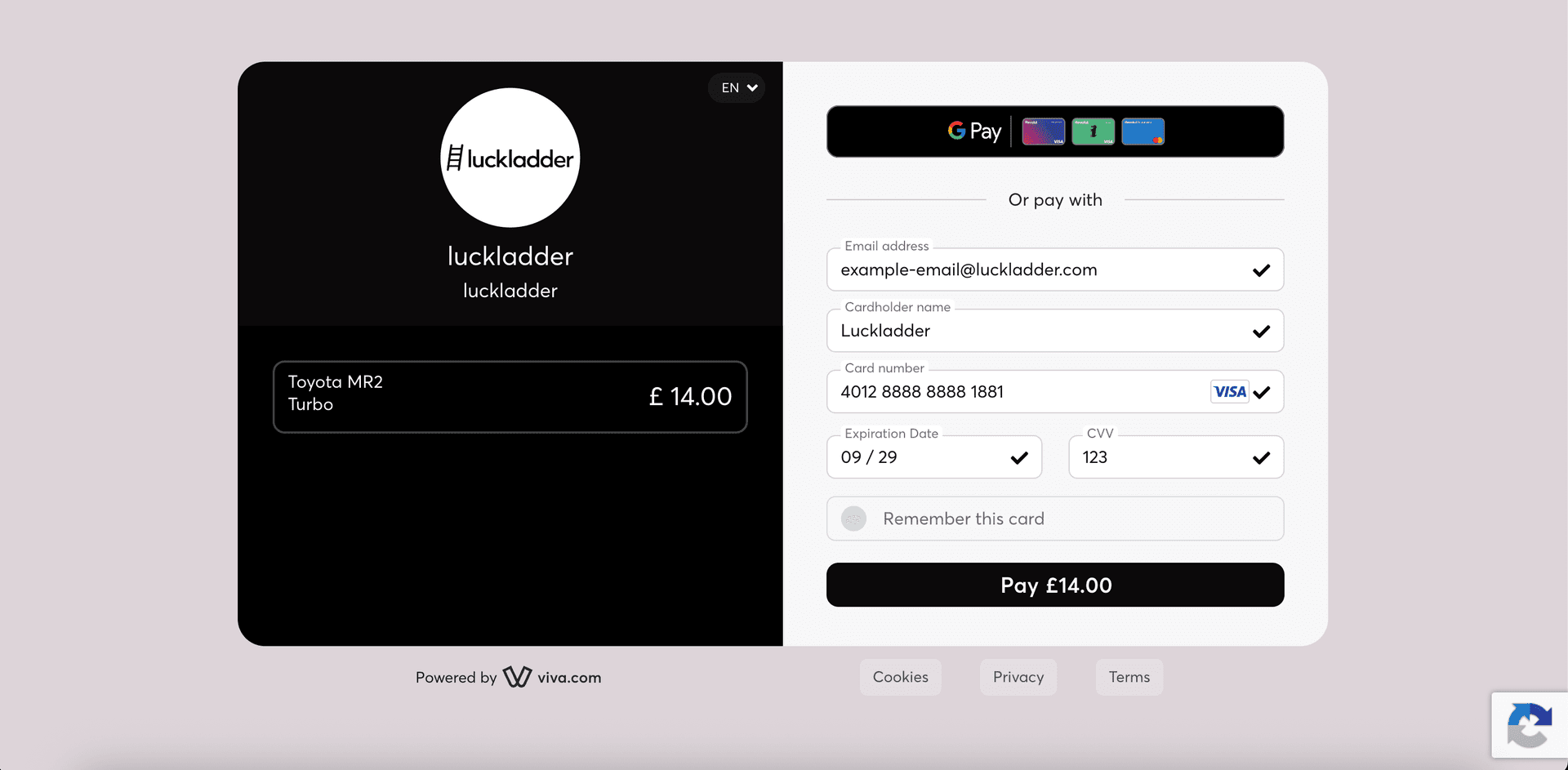
Payment opens in our secure checkout. Pay with Google Pay, Apple Pay, or enter your card details. Confirm the amount matches your order summary, then hit Pay.
8. You're entered
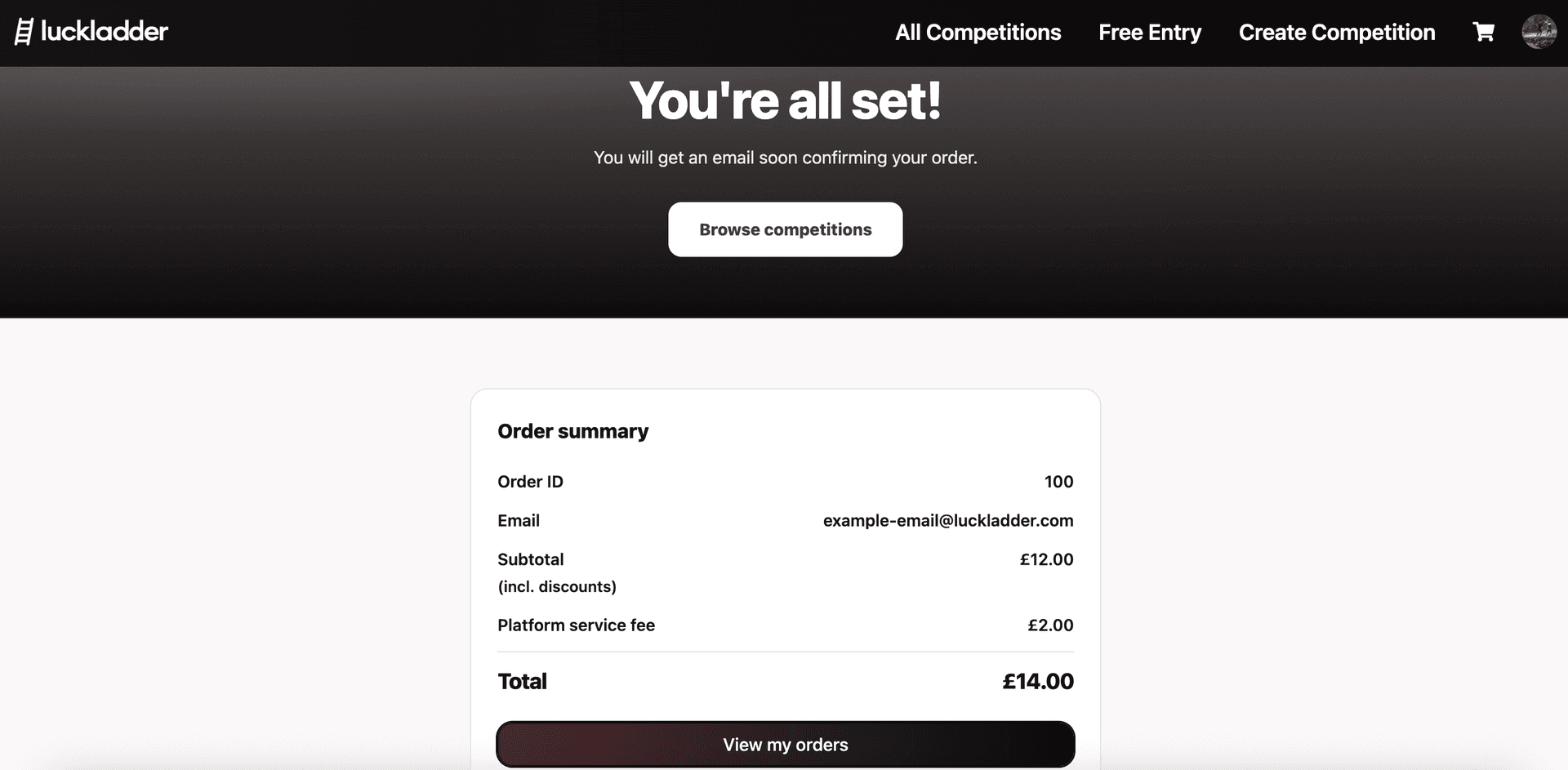
And you're done! You will see a confirmation screen with your order summary, and you will get an email confirming your entry. From here you can browse more competitions or view your orders to track everything you have entered.
What happens after you enter
- Your tickets are held in the prize pool until the draw runs.
- When the draw date arrives, or every ticket sells, the winner is picked by our automated system.
- If you win, you get notified via email and arrange prize handover with the host.
- Confirm receipt of the prize on the site once you have it. That closes the loop for you and the host.
Ready to enter?
Browse live competitions and pick a draw, or start from the homepage spotlight. Want free entry tips first? See how to enter competitions for free. Prefer the host side? Read how to host a competition on luckladder.
Join the waitlist
luckladder is not live yet. Join the waitlist and we will let you know when you can start hosting and entering competitions.